Recent reports from the Oceanside RCMP reveal that digital fraudsters are targeting our community with unprecedented sophistication. From high-pressure rental scams on Facebook Marketplace to complex bank impersonation schemes, local residents have lost hundreds of thousands of dollars in the early months of 2026 alone. Protecting yourself requires moving past basic awareness and adopting concrete, tech-driven steps for verification.
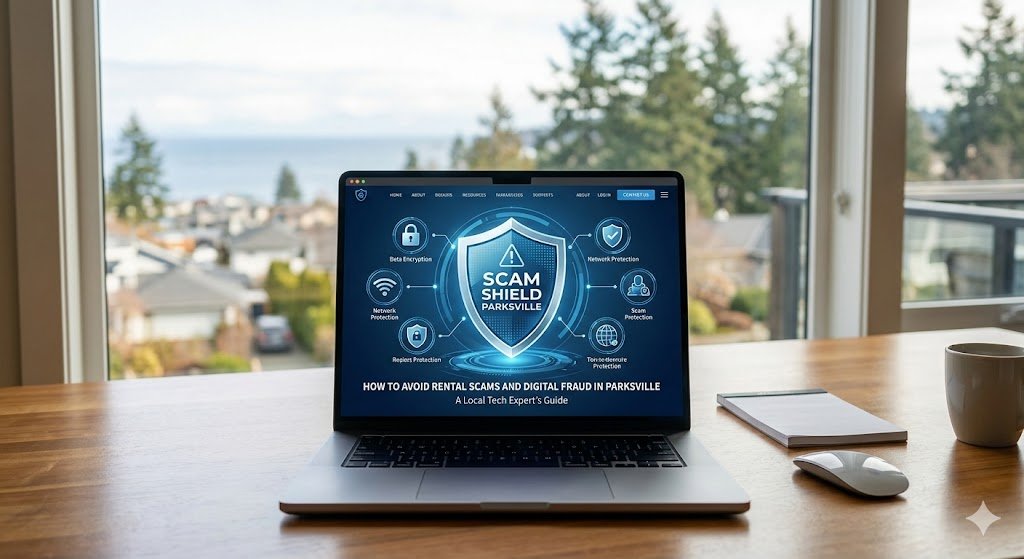
This local tech expert guide breaks down digital red flags, empowering individuals, seniors, and small business owners in the Parksville-Qualicum Beach region with the practical tools required to spot local fraud and effectively verify identities, protect financial assets, and secure their digital lives.
The Reality of Local Fraud in 2026
The Oceanside area is experiencing a sharp rise in cyber-enabled financial crimes. Fraudsters no longer rely on poorly written emails or obvious ploys; instead, they leverage advanced technologies, such as generative AI, browser manipulation, and caller ID spoofing, to create an appearance of absolute legitimacy.
In a tight housing market with low vacancy rates, or within a demographic featuring a high percentage of retirees, these digital illusions are highly effective. To defend against them, local residents must understand that what they see on a computer or smartphone screen may be entirely manipulated. Security may depend on independent, offline verification.
The Top Scams Hitting the Parksville-Qualicum Beach Region
To effectively combat local cybercrime, we must look at the specific tactics currently appearing in our neighbourhoods. The following threats represent the highest financial risks to residents and local businesses today.
1. Rental Hijacking and Deposit Fraud
The high demand for housing makes Parksville rental scams a persistent threat. Fraudsters scrape legitimate real estate photos from public sales listings and repost them as affordable rental units on community forums and classified ad sites. Using high-pressure sales tactics, they claim multiple people are competing for the unit and demand an immediate deposit via Interac E-transfer before booking the on-site walk-through.
2. Business Email Compromise (BEC)
Local enterprises face severe risks from account-switching schemes. In these attacks, threat actors compromise or spoof the email accounts of trusted suppliers or contractors. They monitor ongoing conversations and intervene at the moment of invoicing, providing “updated” bank routing details. A single undetected change can result in hundreds of thousands of dollars sent directly to fraudulent accounts.
3. The “Bank Investigator” and Tech Support Hybrid
Victims receive a phone call or a sudden web browser pop-up claiming their bank account or operating system is compromised. Posing as a financial fraud officer or software technician, the attacker uses caller ID spoofing to mimic a local financial branch. They instruct the victim to download remote access software to “secure” the machine, or demand they purchase prepaid gift cards to assist in an undercover sting operation targeting a supposedly corrupt bank employee.
The Anatomy of a Digital Illusion: How Scammers Rig the Screen
To avoid falling victim, it is crucial to understand the specific technical mechanisms scammers use to deceive their targets.
Visual White-Out: The HTML Balance Trick
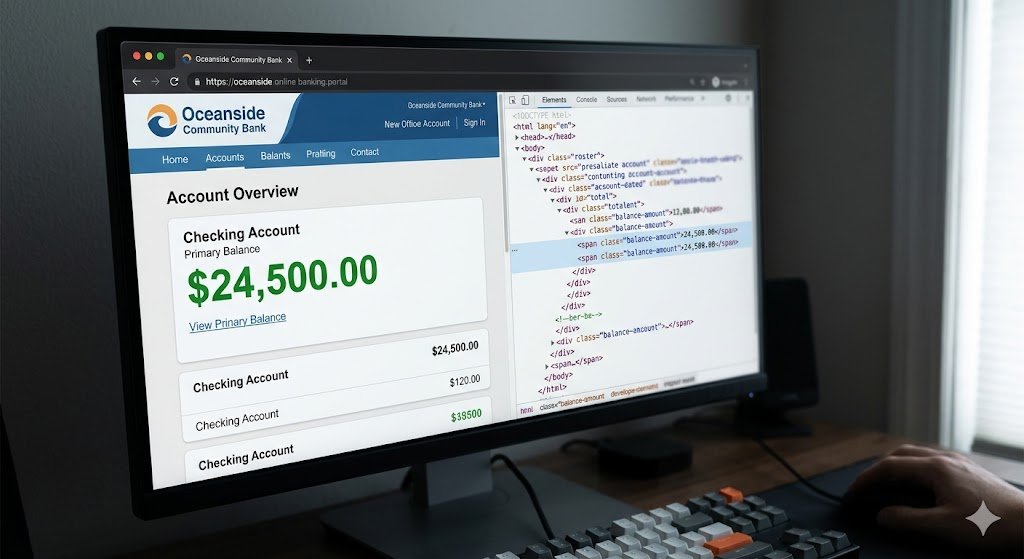
During tech support and bank investigator scams, fraudsters frequently use a deceptive tactic known as the “Inspect Element” trick to manipulate bank balances in real time.
[ legitimate bank server ] —> ( sends true data ) —> [ your web browser ]
|
[ scammer ] —> ( edits local HTML ) —> [ Screen Displays Fake Balance ]
When a scammer gains remote access to your computer via tools like TeamViewer or AnyDesk, they will open your online banking page and access the browser’s built-in developer tools. By modifying the local Document Object Model (DOM) HTML code in a ‘slight of hand’ trick, they can deceptively type any number they want into your account balance display.
This act is purely visual—it functions like using digital white-out to write a fake number on your monitor. Your actual bank account balance remains completely unchanged. The scammer uses this visual lie to convince you that they accidentally refunded you too much money, setting up a high-pressure demand for you to return the “excess” funds via gift cards or wire transfers.
The False Logic of Tracing Gift Cards
A common question arises: How do scammers convince reasonable people to buy gift cards to catch a criminal?
They invent a narrative framing the victim as an undercover operative. The fraudster claims that an internal bank employee is skimming funds. They argue that traditional wire transfers cannot be used because the crooked employee would see the transaction and destroy the evidence.
Instead, they claim that prepaid gift cards act as “digital marked bills.” They tell the victim that entering the serial numbers allows law enforcement to track the funds through a global security system and catch the insider when they attempt to launder them.
In technical reality, this is impossible. Gift cards are designed for consumer convenience, not forensic tracking. Once the serial number and PIN are transmitted, the digital value is instantly liquidated—often converted into cryptocurrency or high-value electronics on international secondary markets—rendering the transaction completely irreversible and anonymous.
Tech-Driven Defence: How to Verify Property and Identity
When facing potential fraud, you cannot rely on what a stranger sends you over email or text. You must use authoritative, independent digital tools to find the truth.
Industry Insight: Why Title Verification is Non-Negotiable
While navigating provincial registries might seem like an extra step for a standard rental search, real estate professionals emphasize that the rise of sophisticated digital fraud has changed the rules of the market. Verifying public records is no longer just a precaution for buyers; it is now an essential defensive shield for renters as well.
According to John McMahon, a licensed real estate professional with Royal LePage Kelowna, taking this step removes the vulnerability that online fraudsters rely on.
“Scammers are highly adept at fabricating digital listings, text conversations, and even fake rental agreements that look identical to official BCREA documents,” says McMahon. “Using the official myLTSA Explorer tool to pull a State of Title Certificate provides an unalterable government record of legal ownership. It is a definitive action prospective tenants can take to verify they are dealing with the actual property owner or their legally authorized representative, minimizing the risk of digital deception before any deposit changes hands.”
The Gold Standard for Property Verification
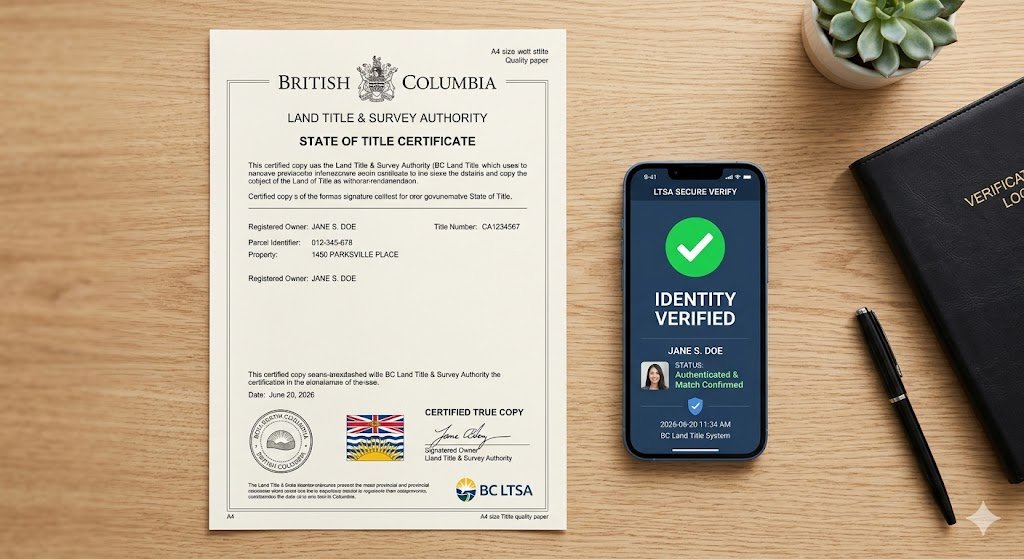
If you are navigating the local housing market and want to ensure you are not dealing with a rental scam, you can verify property ownership directly through provincial records.
- Acquire the PID: Navigate to the BC Assessment website and input the property’s civic address. This public repository will provide the unique nine-digit Parcel Identifier (PID) assigned to the property.
- Execute a Title Search: Take that PID to the official website of the BC Land Title and Survey Authority (LTSA). Through their myLTSA Explorer service, you can order an official State of Title Certificate for a small fee (approximately $15).
- Cross-Match Identities: The resulting certified PDF document lists the legal, registered owners of the property. When meeting a prospective landlord or representative in person, demand to see government-issued photo identification. If the name on the ID fails to match the name on the Land Title document, halt the transaction immediately.
Biometric and FINTRAC Verification
For higher-stakes transactions, or when looking to avoid rental scams in the Oceanside region, professional real estate and legal frameworks utilize advanced compliance software such as ReallyTrusted. This technology is designed to satisfy strict federal FINTRAC (Financial Transactions and Reports Analysis Centre of Canada) requirements.
Unlike a simple visual check of a driver’s license, these platforms utilize artificial intelligence to analyze the micro-security features embedded within physical ID cards and detect sophisticated forgeries. Simultaneously, the software requires a live biometric facial scan of the individual, cross-referencing their live facial structure against the photo on the authenticated document.
Furthermore, these professional systems instantly screen names against international Anti-Money Laundering (AML) watchlists, Politically Exposed Persons (PEP) registries, and global criminal organization databases. If an individual is acting as a money mule or possesses links to organized crime syndicates, the system flags them as high-risk. Working with licensed professionals who utilize these tools provides a robust layer of technical defence.
Frequently Asked Questions About Local Digital Scams
Can I use Realtor.ca to verify who owns a rental home?
No. Realtor.ca is a consumer-facing marketing platform for active real estate listings; it does not display public land ownership registries or land title records due to privacy regulations. However, it is highly useful for cross-referencing. If a property is actively listed for sale on Realtor.ca by a local brokerage, but a private individual is trying to rent it out simultaneously on social media, it is almost certainly a cloned listing scam.
Why do fraudsters prefer Interac E-Transfers for rental deposits?
Interac E-Transfers are processed rapidly and, once deposited by the recipient, are generally impossible for a bank to reverse. Scammers use auto-transfer settings tied to compromised accounts or use money mules to immediately withdraw the cash, ensuring that by the time the victim realizes the rental is fake, the funds have left the Canadian banking system entirely.
What should I do if a caller claims my computer has a virus?
Hang up immediately. Legitimate technology companies like Microsoft, Apple, or local internet service providers do not monitor individual residential computers for malware infections in real time, nor do they display pop-ups demanding you call a phone number. If you suspect your machine has a genuine security vulnerability, shut it down and bring it to a trusted professional at Parksville Tech for a diagnostic evaluation.
Actionable Cybersecurity Checklist for Parksville Residents
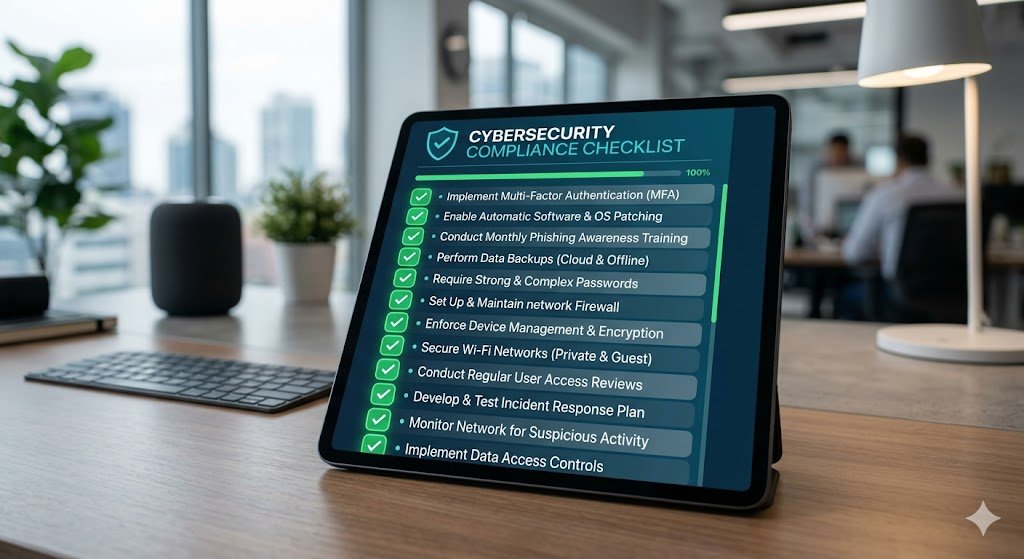
To keep your personal information and financial assets secure, implement these defensive technical habits immediately:
- Verify the Title First: Never transfer funds for a rental property until you have cross-referenced the landlord’s photo ID against an official LTSA title search.
- Deny Remote Desktop Requests: Never install software like AnyDesk, TeamViewer, or Zoho Assist at the request of an unsolicited agent or a web browser warning.
- Establish out-of-band banking procedures: If a vendor sends an email requesting an update to payment terms or banking details, call a verified, known phone number for that business—do not rely on the contact information provided in the suspicious email.
- Protect Your Devices: Ensure the operating systems of your personal electronic devices are actively updated and protected. For comprehensive protection, consider scheduling a professional review of your home network and devices via our Parksville computer setup and security services.
By combining awareness and vigilance with strict digital verification protocols, residents of the Oceanside community can effectively neutralize the technical scam strategies deployed by modern fraudsters.