
Is Your Computer Actually Broken? ( The Short Answer)
When your computer slows down, freezes, or acts strangely, you don’t necessarily need expensive hardware repairs or replacement. A tune-up may be all that’s required.
The difference between a computer repair and a tune-up is simple: hardware repairs fix physical parts (like a cracked screen or dead battery), while tune-ups fix the software “brain” of the computer (like removing viruses, adjusting outdated settings, or increasing cloud storage).
For the average resident in Parksville and Qualicum Beach, the frustration you feel isn’t because your device is at its end of life—it’s because it is clogged with bloatware, bad setting configurations, and outdated software. Before you buy a new laptop or haul your desktop tower in for parts replacement and repair, booking a tech support session to clear out the digital ‘cobwebs’ may save money and unnecessary landfill waste.
The “Replace or Revive” Dilemma
We’ve all been there. You sit down with your morning coffee to check emails or browse the internet, and the spinning wheel of death appears. You click. You wait. You click again. Nothing happens. This may happen repeatedly, and frustration may mount as the weeks pass by without improvement.
For seniors and small business owners in the Oceanside area, a slow device isn’t just an annoyance; it can represent a disconnection from the world or a loss of productivity. The immediate reaction may be, “My computer is broken. I need to go buy a new one.”
Stop right there.
In my experience serving clients in the Oceanside region, most of the computers brought to me for “repair” are perfectly healthy devices suffering from “software rot.” They don’t need new parts; they need a knowledgeable guide to clean them up.
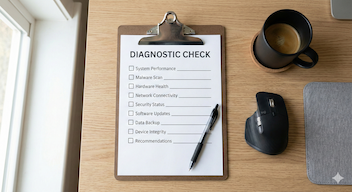
The 3-Step “Self-Triage” Test
Before you pay for computer repair, try this simple diagnostic test to see which category you fall into:
1. The Noise Test
- Repair Needed: Do you hear a loud grinding, clicking, or whirring sound that wasn’t there before? This is often a failing hard drive or a fan that is physically broken.
- Tune-Up Needed: Is the fan running constantly (a soft “whoosh”) even when you aren’t doing anything? This usually means software is running in the background, overworking your processor.
2. The Power Test
- Repair Needed: You press the power button, and absolutely nothing happens. No lights, no screen flicker. This is a power supply or battery failure.
- Tune-Up Needed: The lights come on, you hear the computer start, but the screen stays black or freezes on the logo. This is often a Windows or macOS startup error that can be fixed without a screwdriver.
3. The “Glitch” Test
- Repair Needed: Your screen has physical lines running through it, or “dead spots” of black pixels.
- Tune-Up Needed: Windows pop up unexpectedly, your search engine looks different, or your mouse moves on its own. These are classic signs of malware or viruses.
What Does a “Tune-Up” Actually Do?
Think of your computer like a car. A mechanic (Hardware Repair) changes the tires and the engine. A driver support (Tech Support) adjusts the mirrors, adds fluids, and points you in the direction of a more fuel-efficient route.
Here is what professional tech support and coaching tackles during a tune-up:
1. Malware and Virus Removal

Even with antivirus software, “PUPs” (Potentially Unwanted Programs) can sneak in. These aren’t always viruses that steal data; sometimes they are just marketing software that clogs your system, called ‘bloatware’. I often find clients have three or four antivirus programs running simultaneously, which can slow the computer down to a crawl while compromising device security.
2. Startup Optimization
Does your computer take 10 minutes to “wake up”? That is because every program you ever installed—Teams, Spotify, printer drivers… is trying to start the second you turn the computer on. By configuring your startup sequence so only the essentials launch, you get to work in seconds, not minutes.
3. Updates and Security Patching
A “broken” feature is often just an outdated one. If your printer stops talking to your laptop, it is rarely the printer’s fault. It is usually a driver conflict. Updating your operating system and drivers is the digital equivalent of replacing your engine oil.
Expert Tip: If you see a pop-up saying “Your drivers are outdated, click here to fix,” do not click it. That is a common scam. Learn more about our virus removal and device security services to ensure your computers, tablets, and cell phones are properly configured by a tech expert.
When Do You Actually Require Hardware Repair?
As much as I love saving computers from the landfill via software repairs, sometimes the machine is physically damaged. If you dropped your laptop and the hinge is snapped, or if you spilled tea on the keyboard and the keys are sticky, you need a hardware specialist.
However, even in these cases, data backup (a software task) is your priority.
If your computer is physically failing, your photos, documents, contacts, etc., are at risk. When you bring your computer to Parksville Tech for physical repairs (where data can sometimes be wiped), our first step will always be to ensure your data is backed up first.
Common Hardware Repairs:
- Cracked Laptop Screen
- Liquid Damage
- Broken Charging Port
- Dead Hard Drive (Clicking sounds)
Common Software Repairs:
- “Computer is slow”
- “I can’t print”
- “I forgot my password”
- “My email isn’t syncing”
- “I have a virus and popups”
- “My computer isn’t backing up my files”
The “Oceanside” Factor: Tech Coaching Support for Seniors
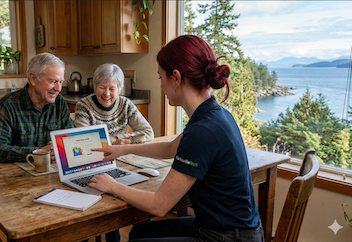
Living on Vancouver Island, specifically in our beautiful Oceanside communities, presents unique challenges. Many of our residents are seniors who didn’t grow up with personal electronic devices.
For the 55+ community, the distinction between “repair” and “support” is even more critical.
The Trust Gap
I have seen the after effects of seniors taking their computer to a big-box store for a simple email problem, only to be sold a $1,000 new laptop they didn’t need. This is why having a trusted Tech Coach to rely on is just as important as having a computer repair technician on speed dial. Thankfully, here at Parksville Tech, we offer both services!
Our goal isn’t just to fix the glitch; it’s to empower you. If you are struggling with Zoom to call your grandkids, your computer isn’t broken—you just need a patient Tech Tutor to show you the ropes.
- We come to you: Whether you are in Nanoose Bay or Errington, you don’t need to unplug all those tangled cables and carry a heavy tower to our shop.
- We explain it in plain English: No “geek speak.” Just clear answers.
FAQ: Common Questions About Computer Speed
Q: My computer is 5 years old. Is it too old to save? A: Not necessarily! A 5-year-old computer with a clean operating system can often run faster than a much newer computer that is bloated with junk software. Before you spend $800 on a new computer, consider a fraction of that cost for a professional tune-up.
Q: Can’t I just use free cleanup software? A: Be very careful. Typical “Free PC Cleaner” tools found online are actually malware in disguise. According to Cybersecurity & Infrastructure Security Agency (CISA), relying on unverified and free downloadable software can introduce malware and more vulnerabilities than it fixes. Always use tools recommended by a professional tech service.
Q: Do you service Macs or just Windows? A: We support both! While Macs are less prone to viruses, they are still vulnerable to “storage bloat”, misconfigurations, and age.
Conclusion: Don’t Replace It, Refresh It!
In our throw-away culture, it’s easy to assume that “new” is always better. But for your wallet and the environment, reviving your current device is often the preferred choice.
If you’re fed up with your slow computer, don’t be quick to throw it away. It probably doesn’t need a heart transplant; it just needs a check-up.
Ready to stop the spinning wheel of death? Don’t let a slow computer ruin your day. Schedule your mobile tech support session now, and let’s get your technology working for you, in the comfort of your home here in the Parksville area.